How It Works #
- The Candidate reaches the Explore Timing Step.
- A prompt is displayed asking about their availability or timing.
- The Candidate provides their response.
- The response is saved to the Candidate record.
- The Journey continues to the next Step.
How to Configure #
- Open your Agent in the Agent Editor.
- Go to Path Steps. Select Explore Timing
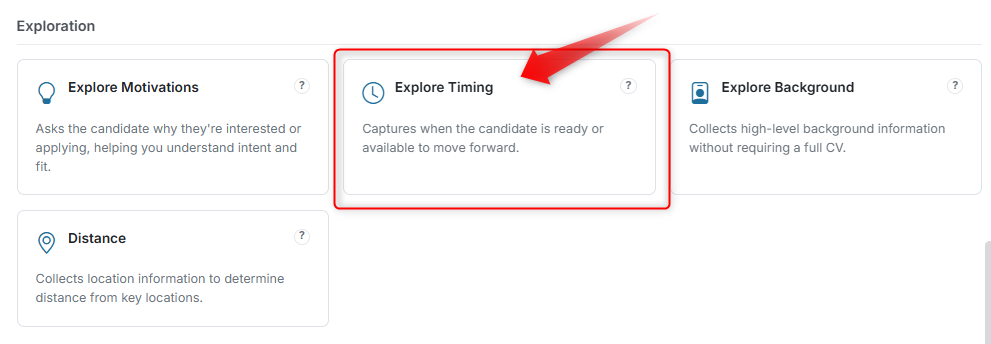
-
Click Configure on an Explore Timing Step.
-
Enter your Display Text (the question or prompt).
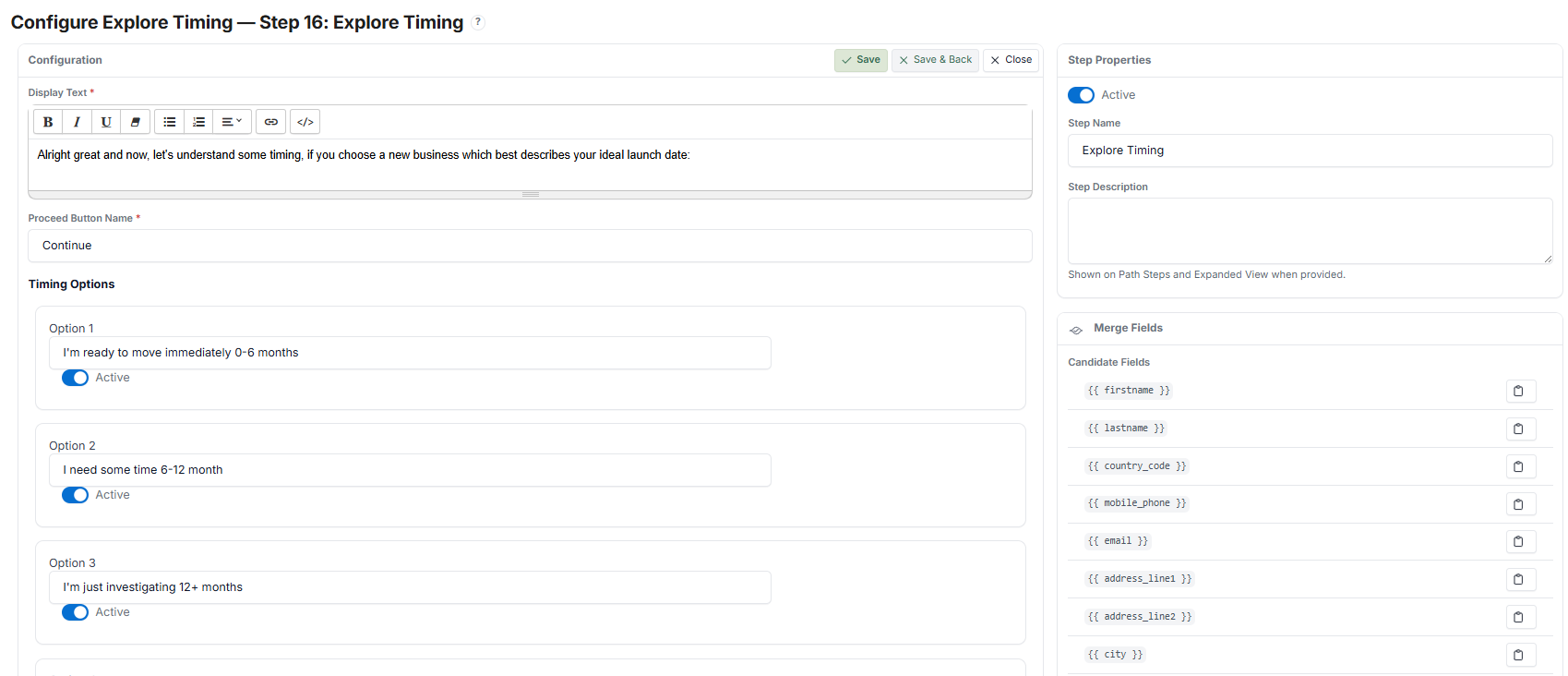
- Configure response options (e.g., "Immediately", "Within 1 month", "Not sure").
- Set the Proceed Button Name.
- Click Save.
What the Candidate Sees #
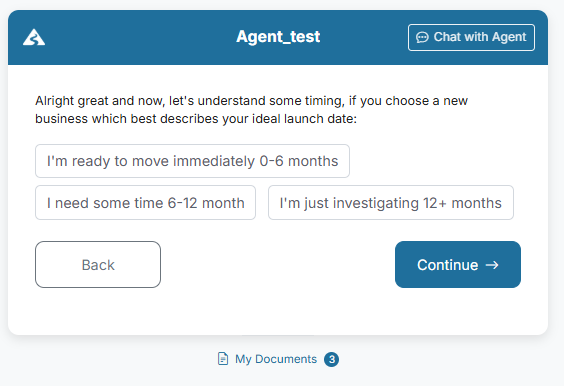
- A question about their availability or readiness
- Selectable options or a date picker
- A button to submit and continue
Tips #
- Use clear, specific time-frame options
- This Step can contribute to Compatibility Match
- Helps prioritise Candidates who are ready sooner