Overview #
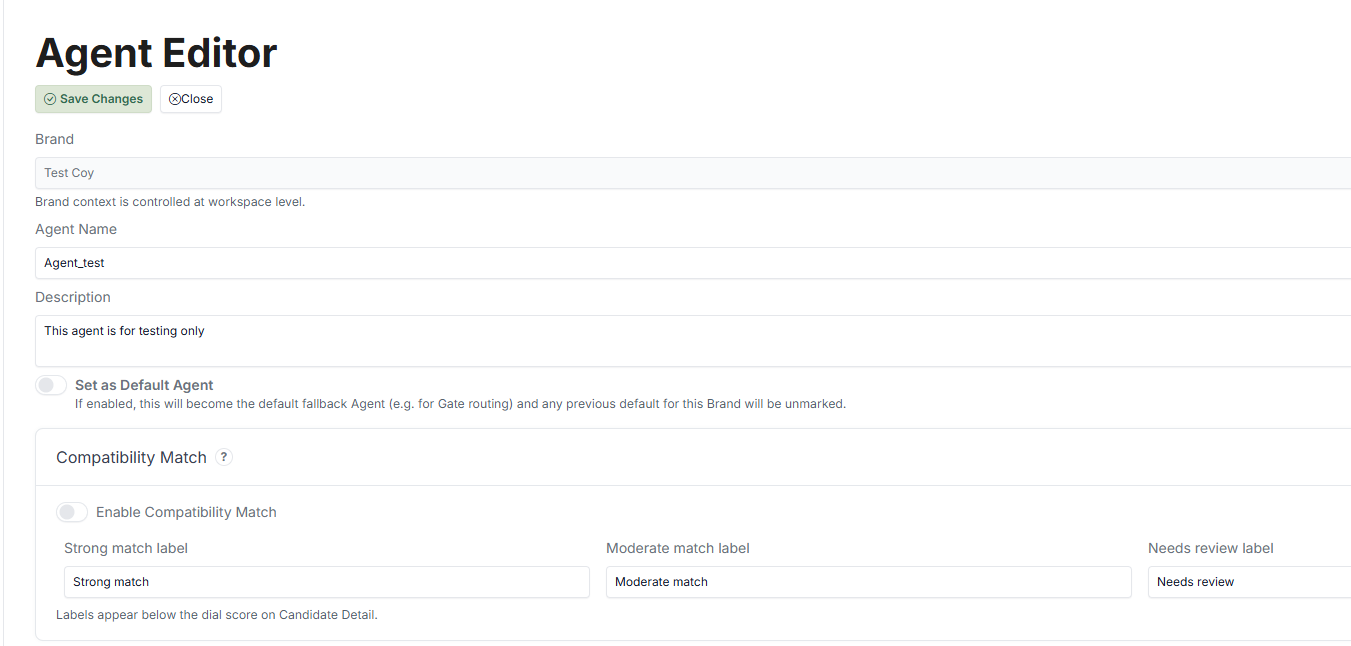
The Agent Editor is the main workspace for setting up your Agent. Here, you define:
- The flow (Path Steps)
- The content of each Step
- The logic that controls movement through the Journey
This is where your process is designed and managed.
Key Sections in the Agent Editor #
The Agent Editor is divided into several key areas:
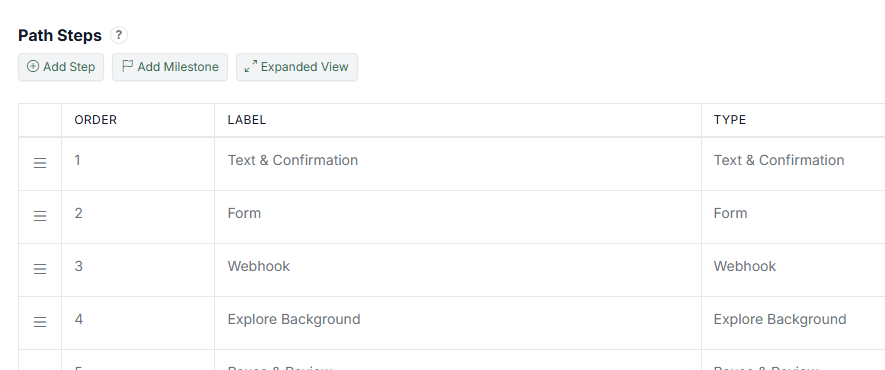
1. Path Steps #
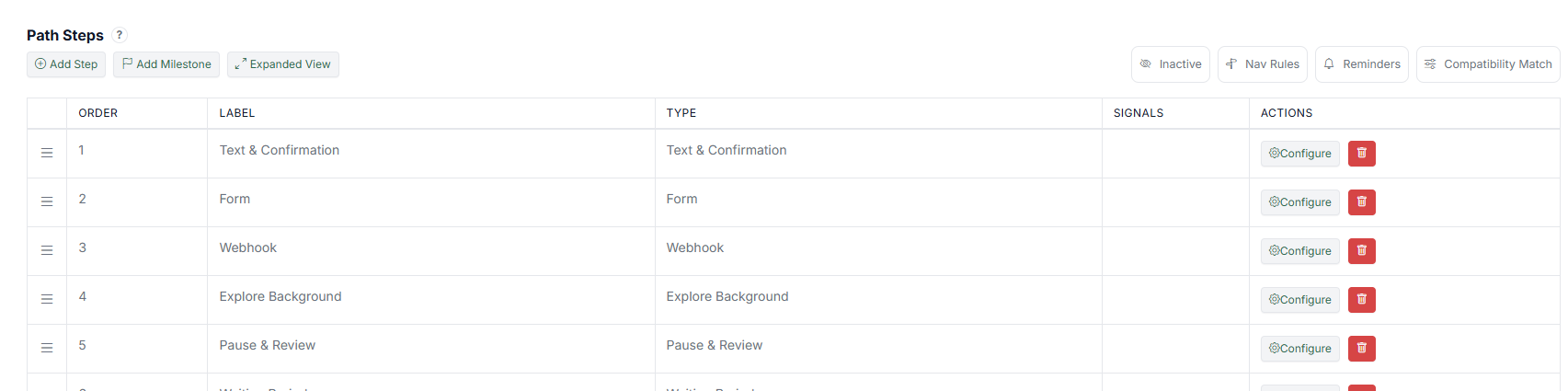
This is where you define the structure of your flow. You can:
You can:
- Add new Steps
- Arrange the order of Steps
- Edit or remove existing Steps
This section represents the full Journey the Candidate will go through. For details on available Step types, see the Steps Configuration Guide.
2. Step Configuration #
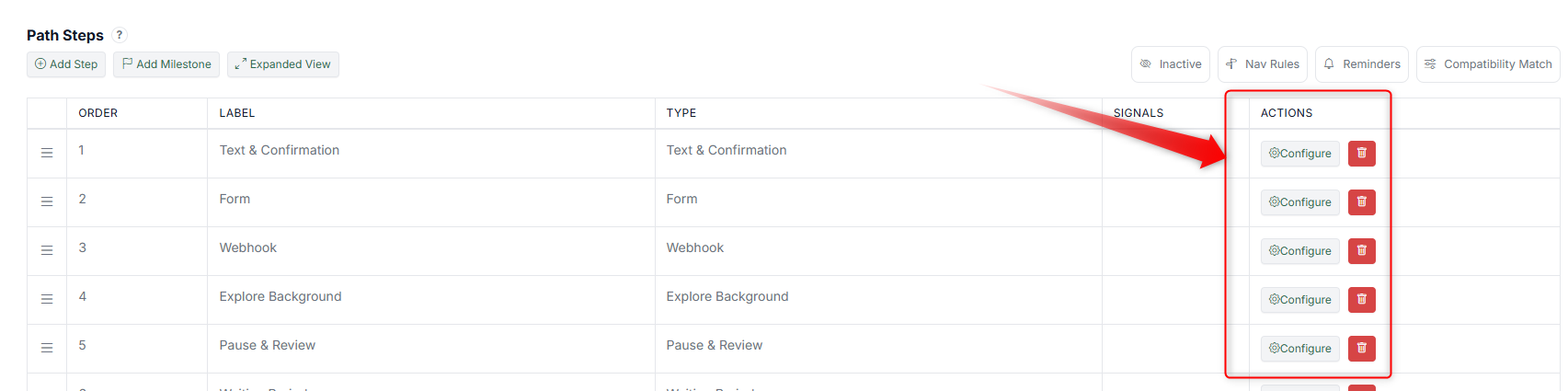
Each Step can be configured individually. You can:
- Define the Step type (Form, Text, Confirmation, etc.)
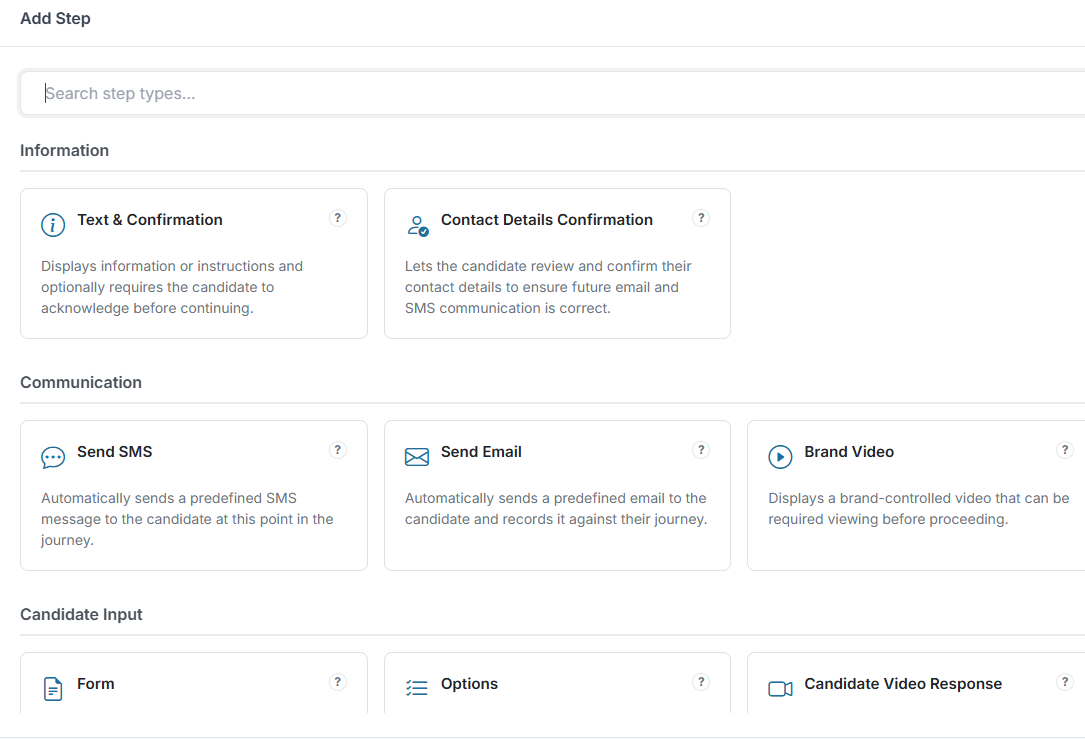
- Add content or forms
- Control what the Candidate sees
This is where the actual interaction is created.
3. Navigation Rules #
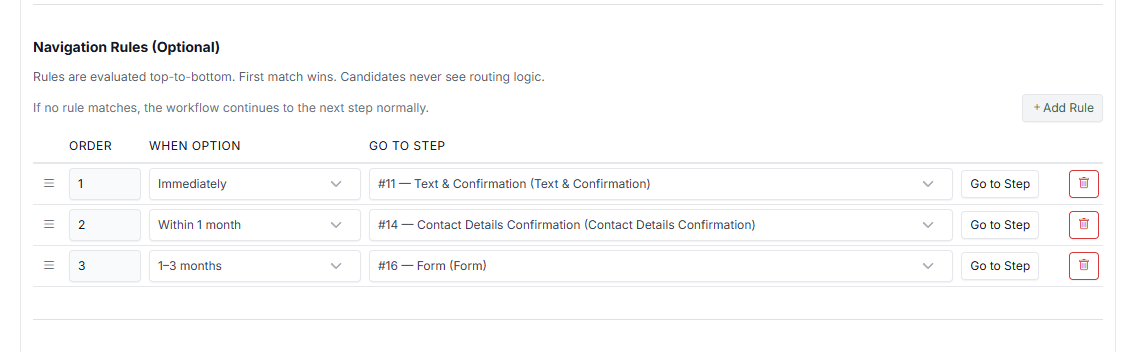 Controls how Candidates move between Steps by using the Options Step. You can:
- Create branching logic by using the Options Step
- Define conditions for progression
- Redirect Candidates based on inputs
This allows dynamic and flexible flows.
4. Reminders #
Automates follow-ups during the Journey. You can:
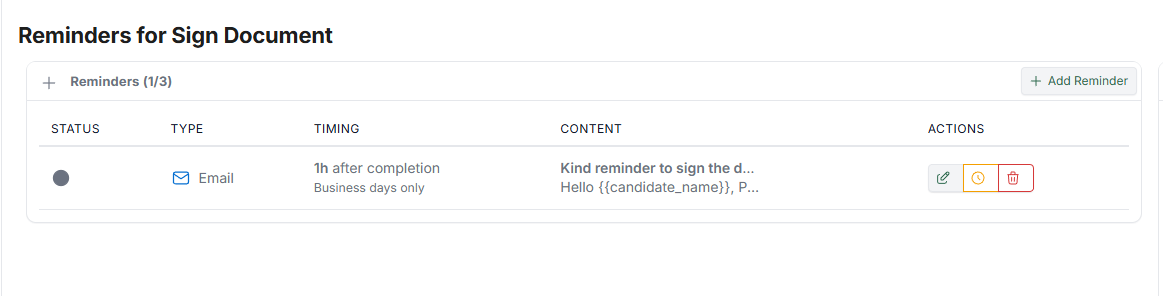 You can:
- Send reminders to Candidates
- Trigger actions after inactivity
- Keep Candidates progressing
5. Compatibility Match #
Evaluates Candidates based on defined criteria. You can:
 You can:
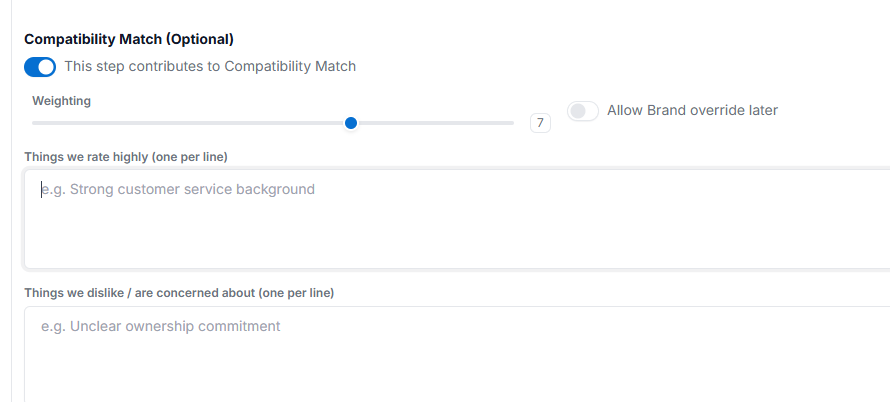
- Set matching rules
- Score or filter Candidates
- Support decision-making within the flow
For configuration details, see Compatibility Match.
6. Additional Controls #
- Activating or deactivating the flow
- Managing Milestones (see Using Milestone)
- Adjusting Step order
- Switching views (e.g., Expanded View)
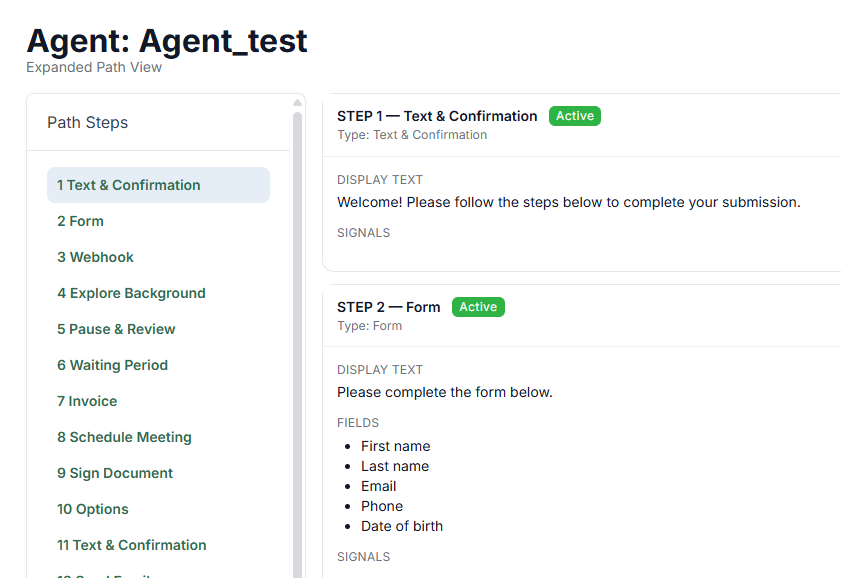
These help you manage and monitor your setup more effectively.
How It Works #
At a high level:
- You create Steps
- You organise them in a sequence
- You define how Candidates move between them
- The Agent runs this flow through the Runner
Why This Matters #
The Agent Editor is where your process becomes actionable. It allows you to:
- Design structured Journeys
- Control the Candidate experience
- Adjust flows as requirements change
- Test and iterate before going live