Overview #
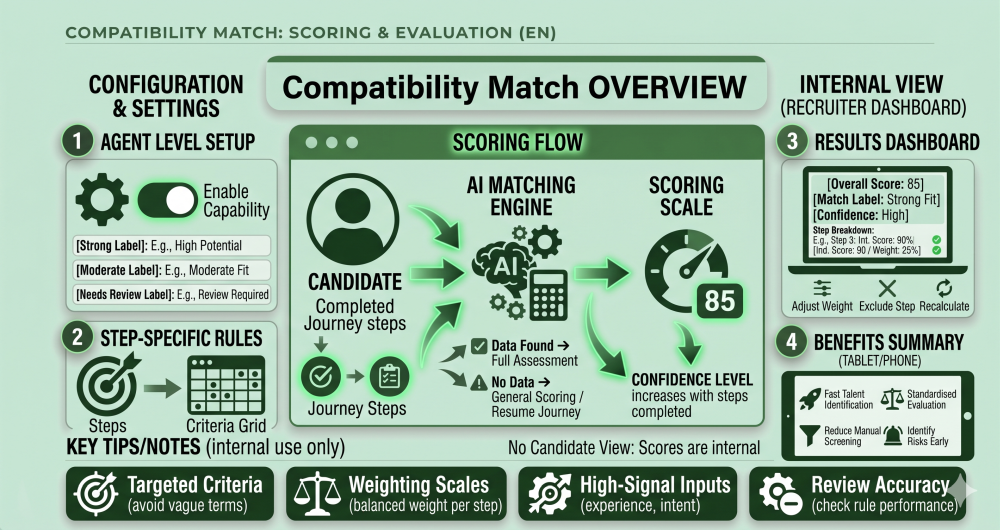
- Defined positive signals
- Defined concerns or risks
- Assigned weighting
This allows you to quickly identify strong Candidates, moderate fits, or those needing review.
How It Works #
- Candidate completes Steps in the Journey.
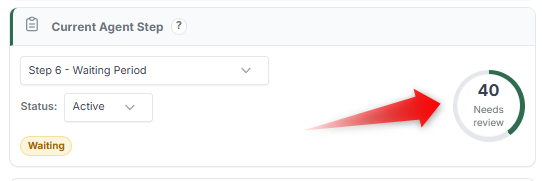
- Selected Steps contribute to Compatibility Match.
- Each Step is evaluated based on defined criteria.
- A score is calculated using assigned weightings.
- Scores are combined into an overall Compatibility Match.
The result is displayed as:
- A numeric score
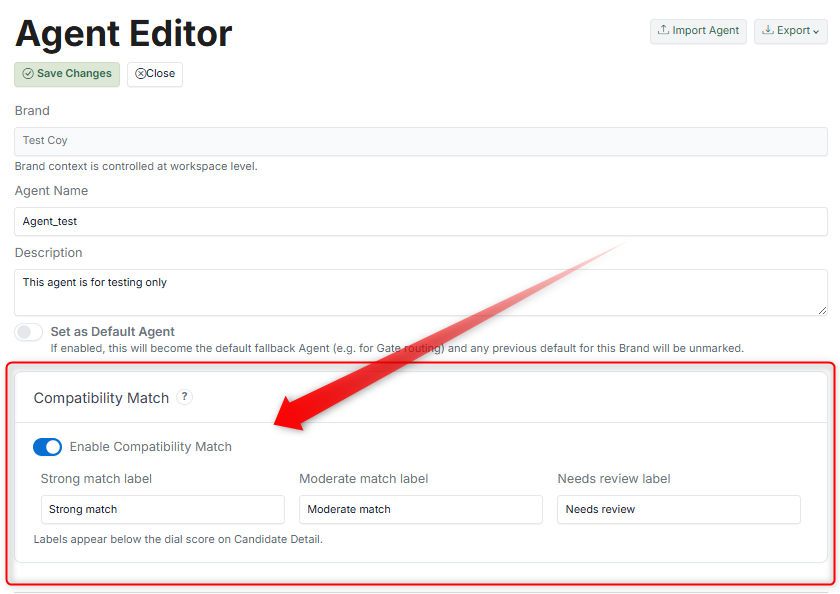
- A label (e.g., Strong match, Moderate match, Needs review)
How to Configure #
1. Enable Compatibility Match (Agent Level) #
2. Enable Per Step #
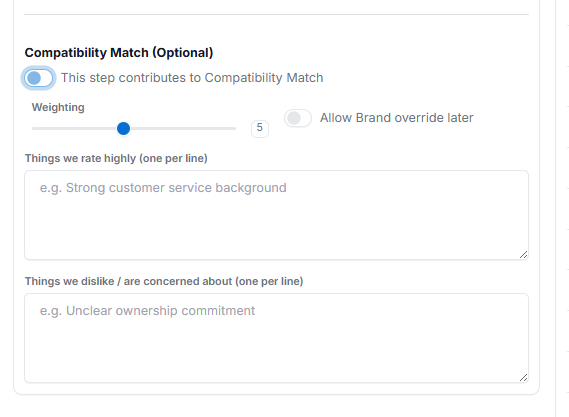
- Open the Step configuration.
- Enable: This Step contributes to Compatibility Match.
- Set the Weighting (importance of this Step).
- Define:
- Things we rate highly (positive signals)
- Things we dislike / are concerned about (negative signals)
3. Adjust Weighting (Optional) #
- Higher weight = more influence on the final score
- Lower weight = less impact
What the Candidate Sees #
Candidates do not see Compatibility Match scores. This is an internal evaluation tool used by the Brand.
What Admin / Recruiter Sees #
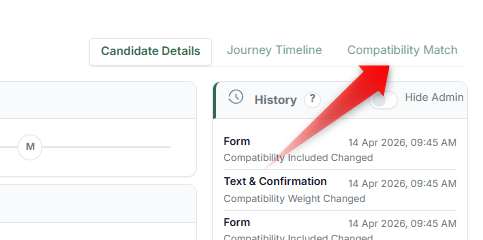
In Candidate Details → Compatibility Match tab:
- Overall score (e.g., 40)
- Match label (e.g., Needs review)
- Confidence level
- Breakdown by Step:
- Individual scores
- Weight contribution
- Evaluation summary
Admins can also:
- Adjust weights
- Exclude specific Steps
- Recalculate scores
How Scoring Works #
Each Step contributes based on:
- Candidate response
- Defined criteria
- Step weighting
The system evaluates responses and assigns a score per Step, which is then combined into a final score.
Why This Matters #
- Quickly identify high-quality Candidates
- Standardise evaluation across the team
- Reduce manual screening effort
- Highlight risks early in the process
Tips #
- Use clear and specific criteria (avoid vague phrases)
- Keep weighting balanced across key Steps
- Focus on high-signal inputs (e.g., experience, intent)
- Regularly review scoring accuracy
Notes #
- Not all Steps support Compatibility Match
- Must be enabled at both Agent and Step level
- Scores are dynamic and update as Candidates progress
- Confidence increases as more Steps are completed