How It Works #
- The Candidate reaches the Request CV / LinkedIn Step.
- Upload and/or LinkedIn input fields are displayed.
- The Candidate uploads their CV or enters their LinkedIn URL.
- Data is saved to the Candidate record.
- The Journey continues to the next Step.
How to Configure #
- Open your Agent in the Agent Editor.
- Go to Path Steps.
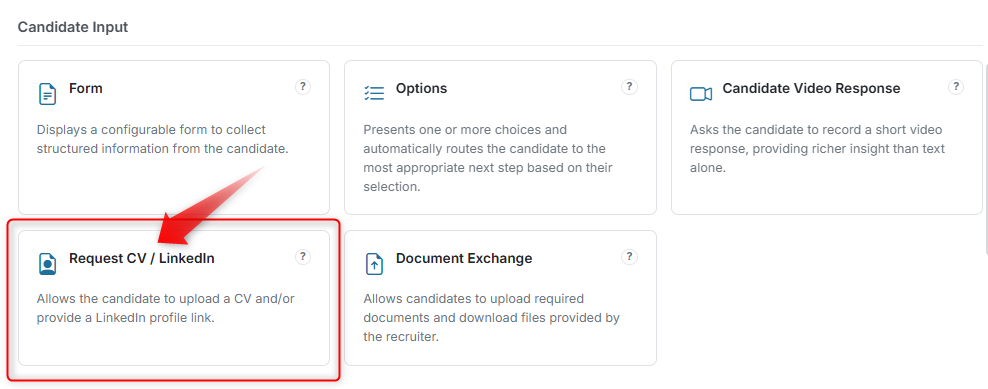
- Click Add Step → select Request CV / LinkedIn.
- Enter your Display Text (instructions for the Candidate).
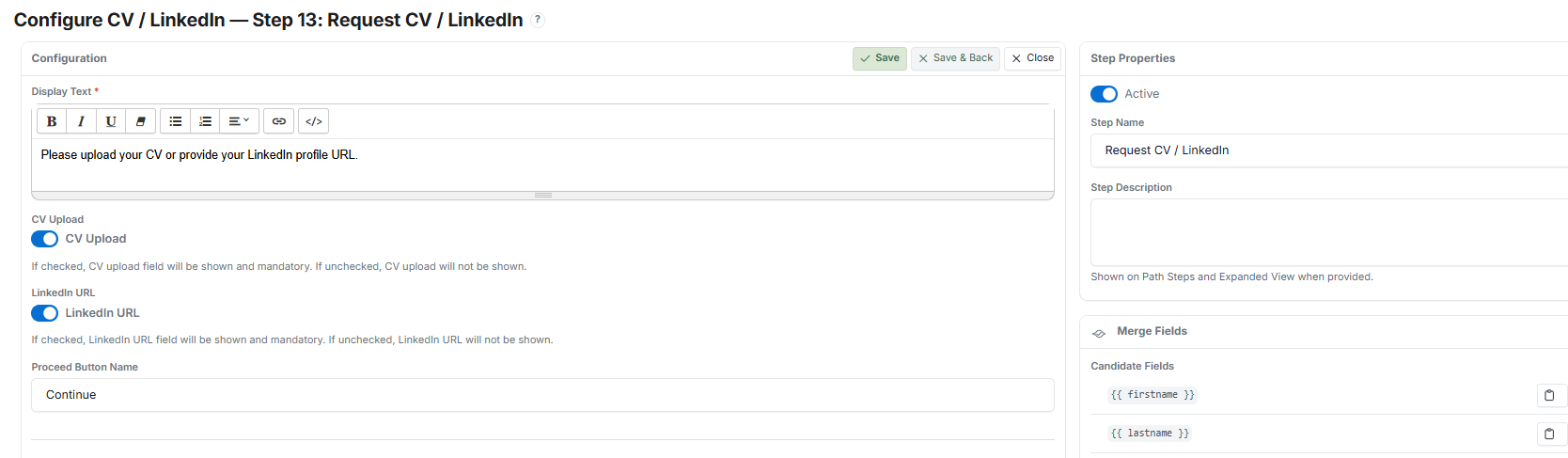
- Enable the fields you need:
- CV Upload — File upload for CV/resume
- LinkedIn URL — Text input for LinkedIn profile link
- Both — Both fields enabled
- Set the Proceed Button Name.
- Click Save.
What the Candidate Sees #
Input Fields #
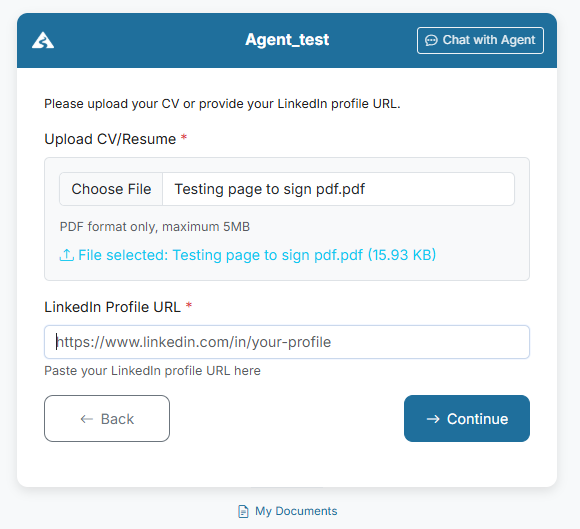
Depending on configuration, the Candidate may see:
- Upload CV/Resume
- A file upload field (e.g., PDF, max size limit applies)
- The selected file name is displayed after upload
- LinkedIn Profile URL
- A text input field for the LinkedIn link
- Placeholder example: linkedin.com/in/your-profile
Required Fields #
- Enabled fields are mandatory
- The Candidate must complete all required fields before continuing
Submission #
- After completing the fields, the Candidate clicks Continue
- The system validates the input:
- File must be uploaded (if CV is required)
- URL must be entered (if LinkedIn is required)
- If validation fails:
- The Candidate cannot proceed
- Missing fields are highlighted
After Submission #
- The uploaded CV and/or LinkedIn URL is saved
- The Candidate proceeds to the next Step
Candidate Record #
- Uploaded CV is stored in the Candidate record
- LinkedIn URL is saved as part of the Candidate profile
- Reviewers can access both for assessment
Tips #
- Keep instructions clear (e.g., "Upload your latest CV in PDF format")
- Avoid requiring both CV and LinkedIn unless necessary
- Use this Step early in the Journey to collect essential Candidate data
Notes #
- File size and format restrictions may apply
- Ensure Candidates are aware of accepted formats (e.g., PDF only)
- This Step is commonly used before screening or interview stages