How It Works #
- The Candidate reaches the Explore Background Step.
- A prompt is displayed asking about their background.
- The Candidate provides their response.
- The response is saved to the Candidate record.
- The Journey continues to the next Step.
How to Configure #
- Open your Agent in the Agent Editor.
- Go to Path Steps. Select Explore Background
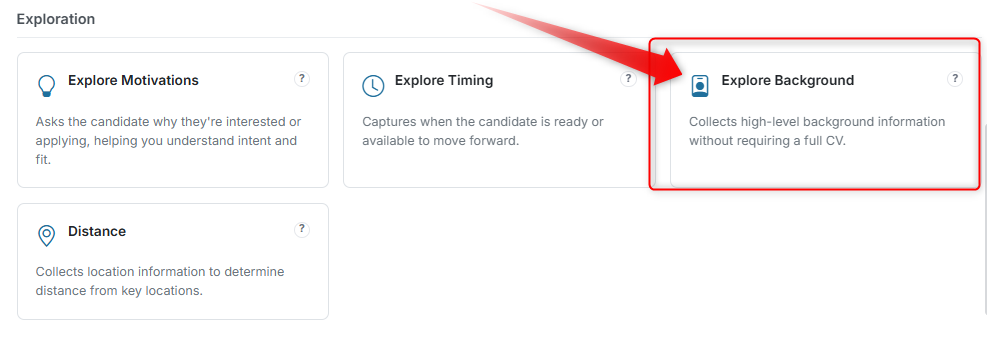
- Click Configure on an Explore Background Step.
- Enter your Display Text (the question or prompt).
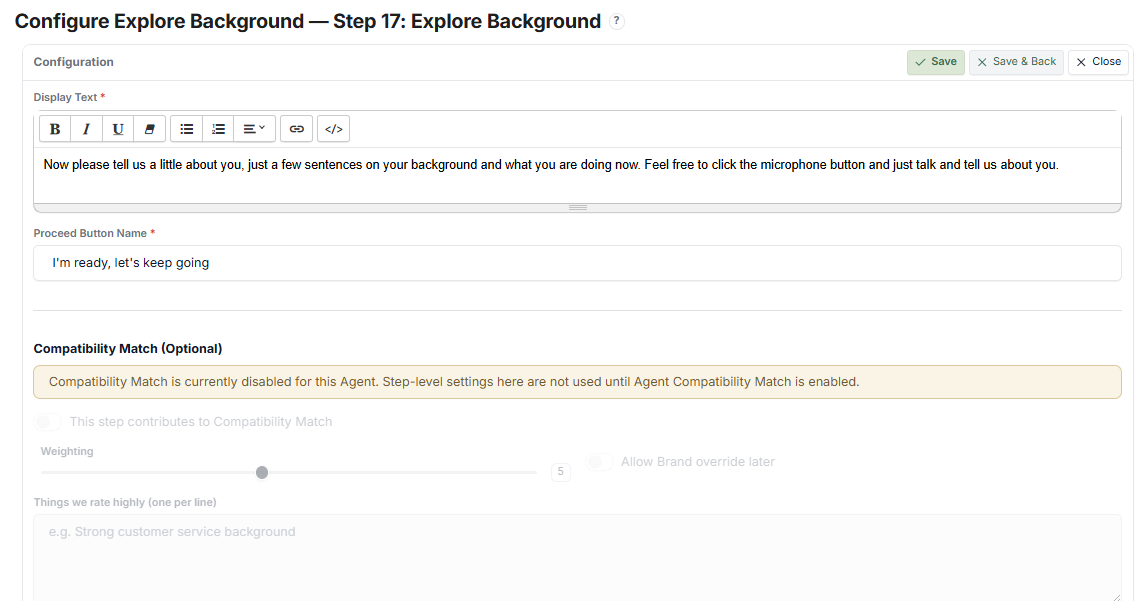
- Configure response fields (free-text, options, or structured inputs).
- Set the Proceed Button Name.
- Click Save.
What the Candidate Sees #
- A question about their background or experience
- Input fields or options to respond
- A button to submit and continue
Tips #
- Keep questions high-level and non-intrusive
- This Step can contribute to Compatibility Match
- Use when a full CV is not required but context is needed