How It Works #
- The Candidate reaches the Explore Motivations Step.
- A list of motivation options is displayed.
- The Candidate selects one or more motivations.
- The selection is saved to the Candidate record.
- The Journey continues to the next Step.
How to Configure #
- Open your Agent in the Agent Editor.
- Go to Path Steps.
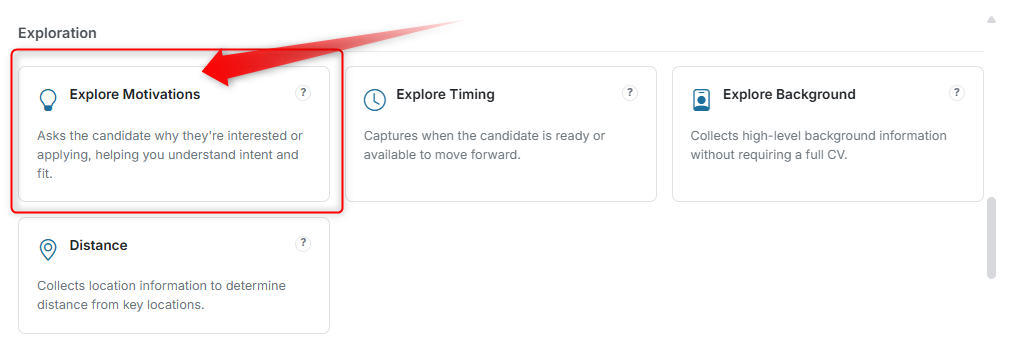
- Click Add Step → select Explore Motivations.
 4. Enter your Display Text (question shown to the Candidate).
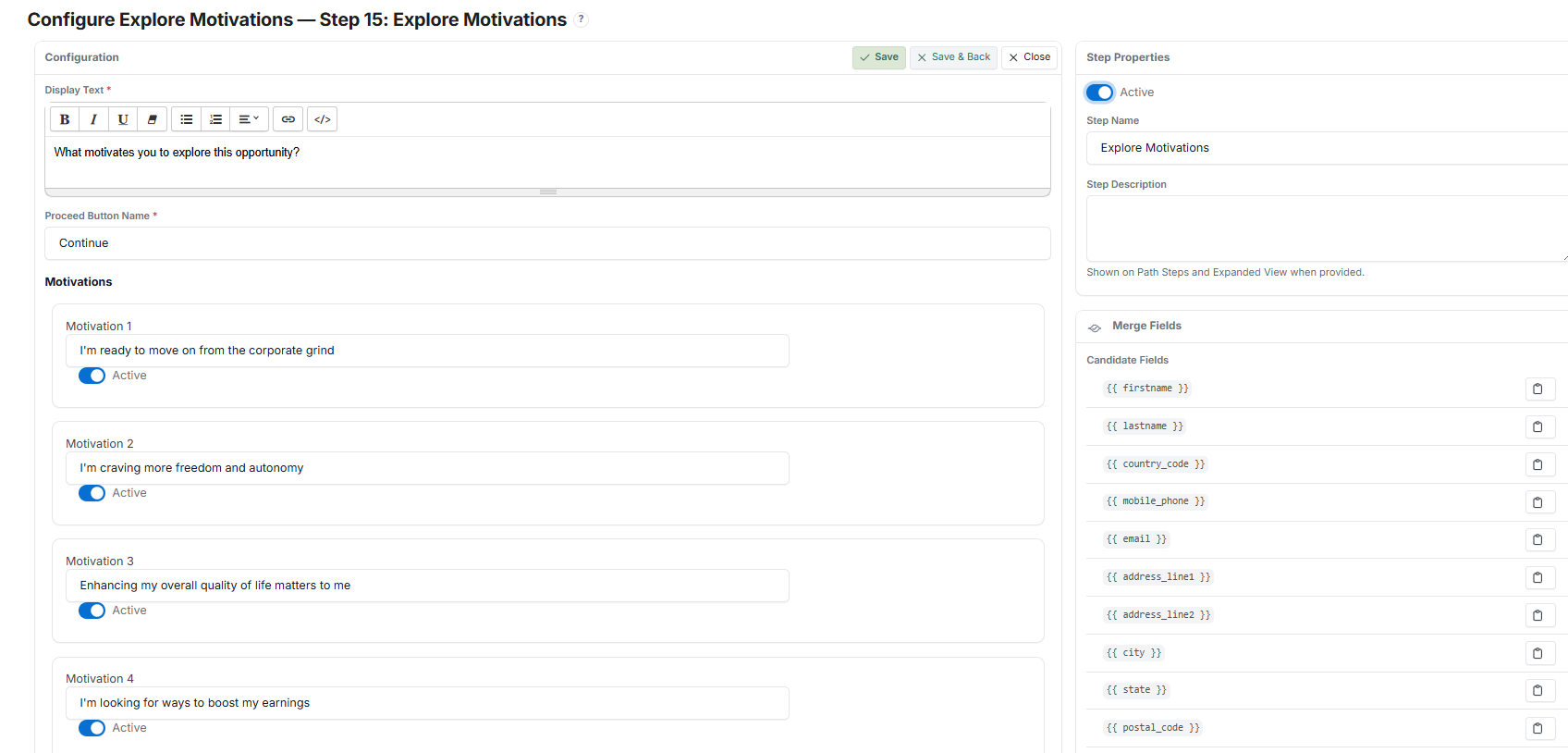
- Add motivation options (each option appears as a clickable button or tag).
- Enable or disable individual motivations as needed.
- Set the Proceed Button Name.
- Click Save.
What the Candidate Sees #
Motivation Selection #
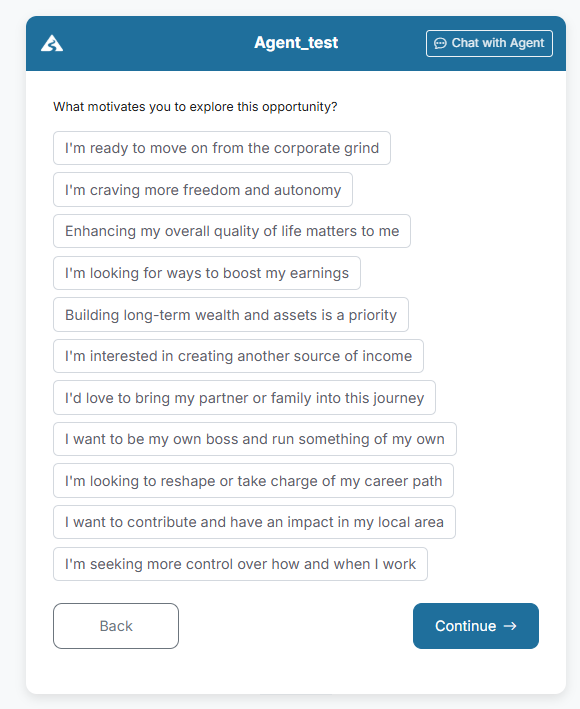
- A list of predefined motivations is displayed as selectable options
- Each option appears as a clickable button or tag
- The Candidate can select one or multiple motivations
Interaction #
- Selected options are highlighted
- The Candidate can change their selection before continuing
- No typing is required — this is a selection-based input
Submission #
- The Candidate clicks Continue after making a selection
- If selection is required and none is chosen, the Candidate cannot proceed
After Submission #
- Selected motivations are saved automatically
- The Candidate proceeds to the next Step
Candidate Record #
- Selected motivations are stored in the Candidate profile
- Reviewers can use this information to understand intent and fit
Example #
Display Text: "What motivates you to explore this opportunity?"
Options:
- I'm ready to move on from the corporate grind
- I'm craving more freedom and autonomy
- I'm looking for ways to boost my earnings
- I want to be my own boss
Outcome: Candidates select motivations that reflect their intent. Reviewers gain quick insight into Candidate mindset.
Tips #
- Keep options concise and easy to understand
- Avoid too many similar motivations
- Use this Step early to segment Candidate intent
Notes #
- This Step is selection-based (no text input required)
- Multiple motivations can be selected
- Useful for early-stage screening and personalisation