Overview #
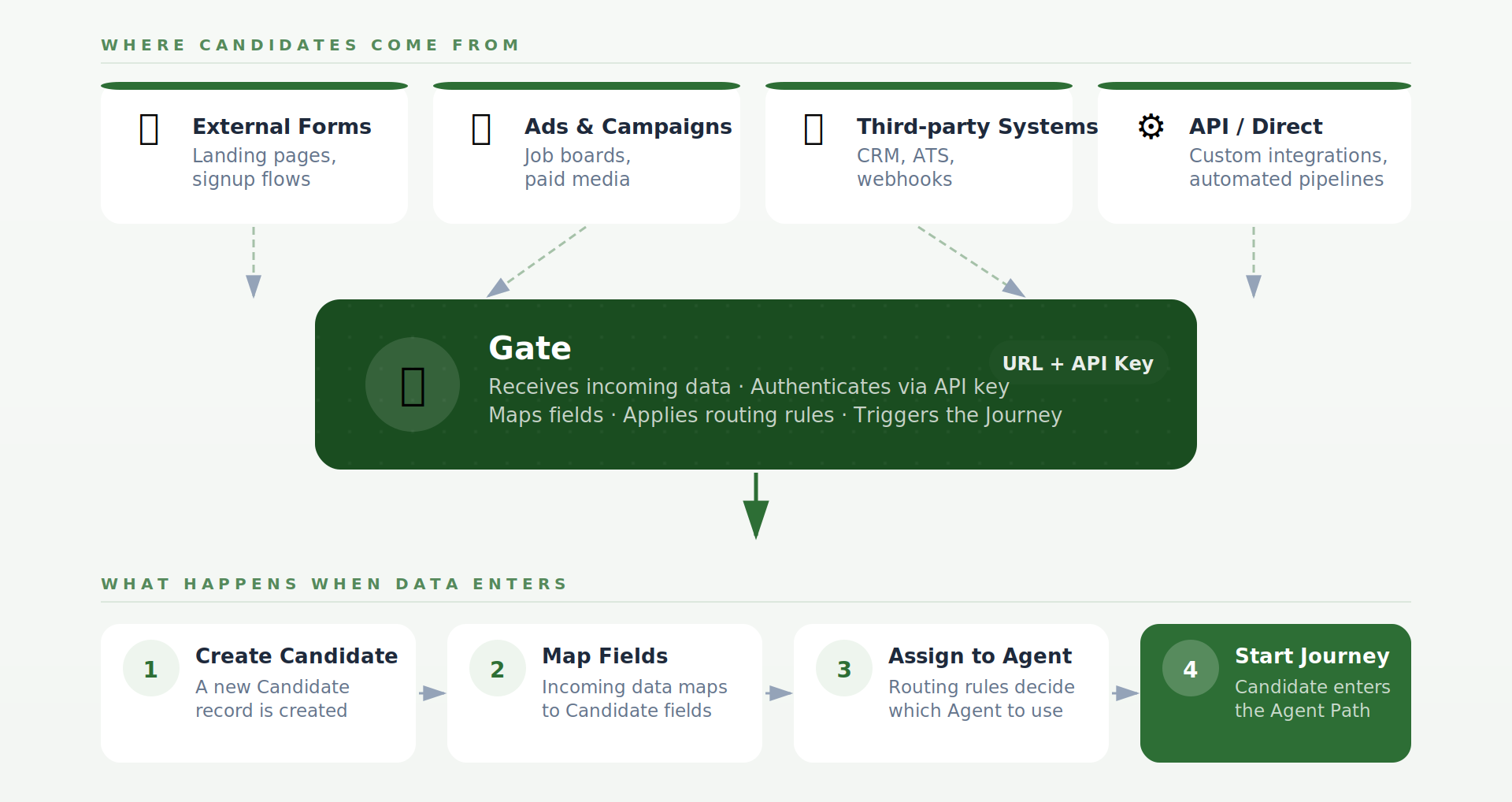
A Gate is used when Candidates come from outside Zirpa, such as:
- External forms
- Landing pages
- Ads or campaigns
- Third-party systems (CRM, API, webhook)
Instead of manually creating Candidates, a Gate allows data to be sent into Zirpa automatically.
When data enters through a Gate, the system:
- Creates a Candidate
- Maps incoming data to Candidate fields
- Assigns the Candidate to an Agent
- Starts the Journey
Key Concepts #
- Entry Point — A Gate acts as the starting point for incoming data before the Journey begins
- Field Mapping — Incoming data (e.g., email, name, phone) is mapped to Candidate fields
- Routing Rules — Gates can decide which Agent to assign based on conditions (e.g., campaign source)
- Default Agent — If no routing rules match, the Candidate is assigned to a default Agent
- API-Based Access — Each Gate provides a URL and API key, allowing external systems to send data securely
How It Fits in the Journey #
A Gate happens before the Candidate enters the Journey.
Flow example:
- External system sends data
- Gate processes the request
- Candidate is created
- Candidate enters the Agent
- Journey begins
Why This Matters #
- Removes manual data entry
- Ensures consistent data structure
- Enables automation from external sources
- Allows scalable lead intake