Overview #
Agent Chat allows Candidates to ask questions and receive instant answers based on configured Knowledge. You can turn this feature on or off depending on your use case:
- Enable — to provide real-time guidance
- Disable — to keep the Journey fully controlled without chat interaction
How to Configure #
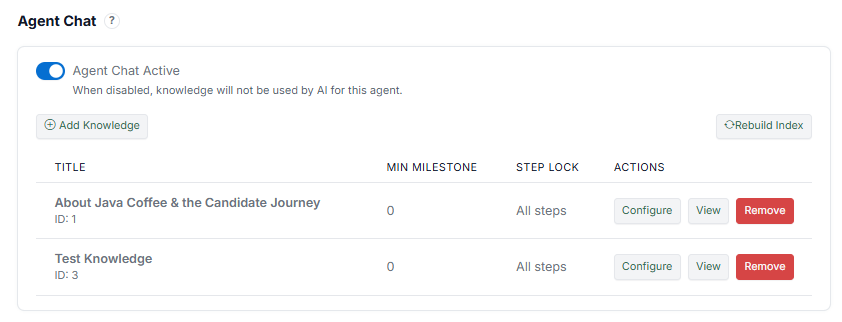
To turn Agent Chat on or off:
- Open the Agent Editor.
- Go to the Agent Chat section.
- Locate the Agent Chat setting.
- Toggle Agent Chat Active:
- On → Chat is enabled
- Off → Chat is disabled
- Click Save.
What Happens When Enabled #
- The "Chat with [Agent Name]" button appears in the Runner
- Candidates can open chat at any time (depending on configuration)
- The Agent uses assigned Knowledge to respond
What Happens When Disabled #
- The chat button is hidden from the Runner
- Candidates cannot ask questions
- Knowledge is not used by the AI for that Agent
Notes #
- Disabling Agent Chat fully prevents AI interaction
- Knowledge remains stored but will not be used
- This setting applies per Agent (not global)