Overview #
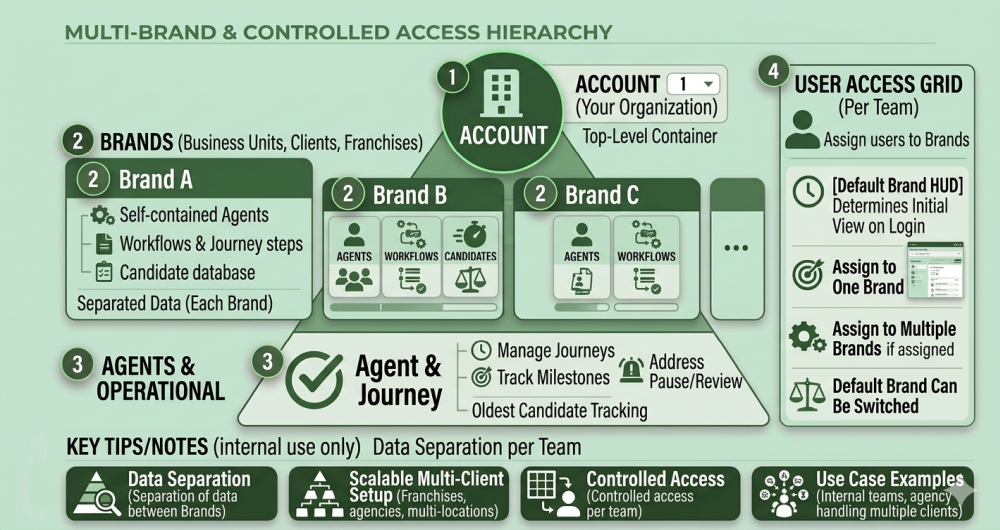
The system supports a multi-Brand structure where one Account can manage multiple Brands, each with its own Agents, workflows, and Candidates. Users can be assigned to one or multiple Brands depending on their role.
Key Concepts #
- Account — The top-level container (your organisation)
- Brand — A sub-division within the Account (e.g., different business units, franchises, or clients)
- Agent — Lives under a Brand and manages Candidate Journeys
How It Works #
- One Account can have multiple Brands
- Each Brand has:
- Its own Agents
- Its own Candidates
- Its own workflows
- Users can:
- Access one Brand
- Or access multiple Brands
Default Brand #
Each user has a Default Brand, which:
- Determines the initial view on login
- Can be switched if multiple Brands are assigned
Why This Matters #
This structure allows:
- Separation of data between Brands
- Scalable multi-client setup
- Controlled access per team
Use Cases #
- Franchise businesses
- Multi-location companies
- Agencies handling multiple clients
- Internal teams with different workflows